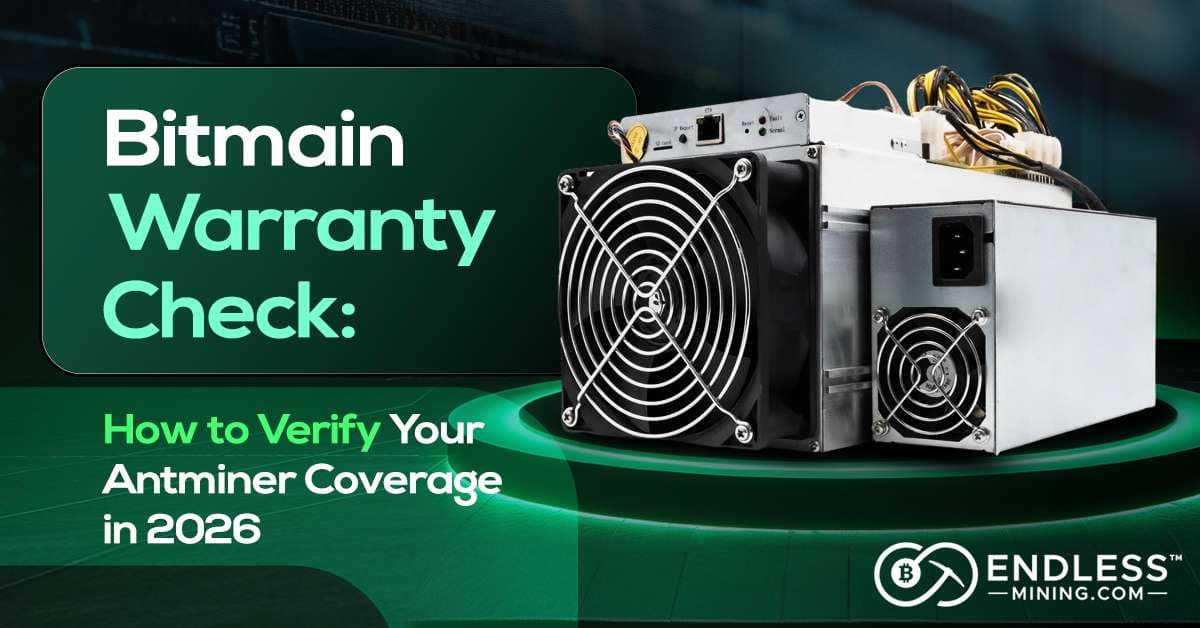
Bitmain Warranty Check: How to Verify Your Antminer Coverage in 2026
Last Updated: April 2026
Mining Bitcoin is stressful enough without your hardware failing at the worst possible moment. When you've invested thousands in an Antminer, discovering your warranty expired yesterday � right as your hash board dies � is a gut punch nobody wants.
Whether you're running a single Antminer S21 in your garage or managing a warehouse full of rigs, a Bitmain warranty check takes five minutes and can save you hundreds (or thousands) in repair costs. This guide covers exactly how to verify your coverage, avoid the traps that silently void it, and what to do when the warranty can't help you anymore.
What Bitmain's Warranty Covers in 2026
Before you check your status, know what you're checking for. Bitmain warranties cover manufacturing defects under normal operating conditions � if the machine fails because of something Bitmain did wrong in making it, they'll repair or replace it.
Coverage by Component
Component
Warranty Period
Notes
Hash Boards
180 or 365 days
S19+, S21, T21 = 365 days
Control Boards
180 or 365 days
Same as hash boards
Power Supply Unit
180 or 365 days
Must be Bitmain original PSU
Cooling Fans
180 or 365 days
Excluded if damaged by dust/environment
Chassis / Frame
Not covered
Cosmetic damage excluded
What's NOT Covered
- Damage from overclocking or non-stock firmware (Braiins OS, LuxOS, VNish)
- Environmental damage � dust, humidity, extreme temperatures
- Power surge or voltage fluctuation damage
- Physical damage from shipping or improper handling
- Units with removed or altered warranty stickers
- Secondhand units without original proof of purchase
2026 Warranty Periods by Model
Model
Warranty Period
S19 XP, S21, T21
365 days from delivery
S19, S19 Pro, S19j Pro (purchased after Jan 2022)
365 days from delivery
S17, T17, S9 and older models
180 days from delivery
?? Critical: The warranty clock starts on the delivery date, not the purchase date. If your miner spent three weeks in customs or transit, that time already counts against your window. Check your status the moment a new machine arrives.
The Firmware Trap: What Silently Voids Your Coverage
This is the section most miners skip � and then regret.
Installing any non-stock firmware voids your entire unit's warranty. No exceptions, no gray areas. Bitmain considers firmware modification an unauthorized alteration of the hardware. When you send a unit in for service, their technicians check the firmware logs. If it's not stock Bitmain firmware, your claim is denied � regardless of what caused the failure.
This applies to:
- Braiins OS / Braiins OS+ � the most popular alternative
- LuxOS by Luxor Mining
- VNish firmware
- Any other third-party or custom firmware not issued by Bitmain
Custom firmware offers real advantages: better autotuning, undervolting, efficiency gains, and reduced fan noise. Many operators run it intentionally and are happy to trade warranty protection for those benefits. But if your machine still has months of coverage remaining, the calculation deserves careful thought.
The rule of thumb: Stay on stock firmware until your warranty expires. Switch to custom firmware once you're optimizing for long-term efficiency, not manufacturer coverage.
How to Run a Bitmain Warranty Check: 3 Methods
Method 1: Official Bitmain Support Portal (Recommended)
This is the most accurate and reliable method.
Step 1: Find Your Serial Number
Your serial number (SN) is printed on a white sticker label. Depending on your model:
- S19 / S19 Pro / S19j Pro � sticker on top of the control board, visible when you open the front panel
- S21 / T21 � sticker on the side of the control board or top of the hash board
- S9 and older � sticker on the bottom or back of the unit
- Alternative sources � original packaging, purchase invoice, or Bitmain shipping confirmation email
Pro tip: Photograph your serial number and back it up to cloud storage immediately. Mining environments are dusty, and stickers wear off faster than you'd expect.
Step 2: Access the Bitmain Warranty Check Portal
- Go to Bitmain's official website
- Hover over "Customer Support" in the top navigation panel
- Under the "After-Sales Support," click "Warranty Check"
Step 3: Enter Your Serial Number
In the warranty check field, enter your full SN exactly as it appears on the sticker. Common typo traps: the letter O vs. number 0, the letter I vs. number 1, and the letter B vs. number 8. Click Check or Verify.
Step 4: Read Your Results
The system returns one of three outcomes:
? Under Warranty � You'll see your warranty start date, expiration date, days remaining, and covered components. Screenshot this immediately and save it somewhere safe.
? Warranty Expired � Shows the original dispatch date and confirms the window has closed. Jump to the Out of Warranty section below.
?? Not Found � Usually means a typo in the SN, the unit wasn't purchased through official channels, or it's a secondhand unit not in the active database. Try re-entering carefully; if it still fails, contact Bitmain support with photos of your SN sticker and proof of purchase.
Method 2: Check via Your Bitmain Account
If you purchased directly from Bitmain's official store (not a reseller), your warranty details live inside your account.
- Go to Bimtain's official page and sign in
- Navigate to "My Orders" or "Account Dashboard"
- Find your Antminer purchase and click "View Details"
- Your warranty start date, delivery confirmation, and current status will display here
- You can also download a warranty certificate from this page
Note: This only works for direct Bitmain store purchases. Units bought through Amazon, eBay, or third-party distributors won't appear in your account.
Method 3: Third-Party Fleet Tracking Tools
For operations running 20+ units, checking warranties one by one is impractical. Several mining management platforms offer warranty tracking:
Foreman Mining (foreman.mn) � Add miners by IP, enter serial numbers in the Hardware Details section, and set automated expiration alerts. Recommended: set alerts at 30 days before expiry.
Awesome Miner � Includes hardware inventory management where you log purchase dates and warranty periods, with notifications before coverage expires.
Important caveat: These tools are not official Bitmain systems. They require manual data entry and don't pull live data from Bitmain's warranty database. Use them for fleet organization and alert scheduling � always confirm actual status through Method 1 before filing any claim.
Troubleshooting Common Warranty Check Errors
"Serial Number Not Found"
Most common causes: a typo, an unofficial purchase channel, or a counterfeit unit.
- Zoom in on a photo of the SN sticker to verify each character
- Check for lookalike characters: O/0, I/1, B/8, S/5
- Try different formats � some older models use hyphens, some don't
- Contact Bitmain support with a clear photo of the sticker and your purchase receipt
If the SN genuinely doesn't exist in Bitmain's database and you bought the unit from an unofficial source, there's a real chance it's counterfeit. This is more common than most miners realize.
"Warranty Shows Expired" � But You Just Received It
This happens when the unit sat in distributor inventory for months before sale. Remember � the clock starts at the delivery date recorded by Bitmain, which may predate when you actually received it.
- Check your delivery confirmation email for the actual receipt date
- Contact Bitmain support with documentation showing your actual delivery date
- If the warranty started before you received the unit, escalate with your seller
"Warranty Void" Status
Your warranty may be voided if:
- The tamper-evident sticker on the control board is broken
- Non-stock firmware was detected in the kernel logs
- The unit shows signs of water damage, corrosion, or unauthorized modification
If the tamper sticker broke during normal maintenance (not uncommon), explain this to support � some cases are honored. If custom firmware is the issue, reflash official Bitmain firmware before sending the unit. Physical cosmetic damage doesn't automatically void the warranty; functional damage from that damage does.
"Not Supported in Your Region"
The unit may have been intended for a different market. Look at your model suffix: "CN" = China market, "I" or no suffix = international. Contact Bitmain to confirm which service center handles your unit and whether a regional warranty transfer is possible.
Buying Used? Check This Before You Pay
The secondhand Antminer market is huge � miners upgrade frequently, farms liquidate hardware, and resellers operate everywhere. But warranty coverage on used machines is almost always a dead end.
The hard truth: Bitmain warranties are tied to the original purchase transaction. They do not automatically transfer to new owners in the secondary market.
Do This Before Buying a Used Antminer
Ask the seller for the serial number before committing, then run a Bitmain warranty check yourself. This tells you whether coverage remains and whether the unit was purchased through official channels.
If the check returns no results or an expired warranty, factor the full cost of potential repairs into your pricing. A "cheap" used S21 can get expensive fast.
Green flags:
- Seller provides the original Bitmain order confirmation
- Warranty check shows remaining coverage
- Seller is willing to do a live video call with the miner running
Red flags:
- Seller cannot provide proof of purchase
- Warranty check returns no results
- Price is significantly below market � often signals undisclosed issues
- Unit was purchased through an unofficial marketplace
What to Do When Your Warranty Is Expired
Your warranty ran out, the machine is throwing errors. You have four real options:
1. Out-of-Warranty Repair Through Bitmain
Bitmain accepts paid repair requests for out-of-warranty units. Go to the Bitmain service page, create a repair ticket, attach photos or a video of the fault, and receive a quote. You cover inbound shipping; Bitmain covers return shipping on completed repairs. Out-of-Warranty repairs often attract a 15-day warranty after paying. Note that a repair ticket is valid for seven days. If Bitmain doesn't receive your faulty miner within this period, it becomes invalid, and you have to create another one. Therefore, create a repair ticket when you're ready to walk the full mile and ship the faulty miner to them.
The downside: international shipping on a 15 kg miner costs $100�$300 and adds weeks of downtime. For miners outside Asia, this path is often slow and expensive.
2. Local ASIC Repair Specialist
For operators outside China or Southeast Asia, a local specialist is usually faster and more cost-effective. Look for shops that focus specifically on ASIC miners, provide written quotes before starting work, and offer a 30�90 day warranty on their own repairs.
Common repairs available locally: hash board diagnostics, control board replacements, component-level soldering, BGA chip work, and fan replacements.
3. DIY Repair
Cable reseating, thermal paste replacement, fan swaps, and PSU testing are all within reach of technically inclined operators. Hash board chip-level failures require BGA rework equipment and genuine replacement chips � a higher bar, but a real option for larger operations with in-house technical staff.
4. Part Out the Machine
If repair costs approach the machine's current market value, parting it out may be the most rational financial move. Working hash boards, control boards, fans, and PSUs all have solid resale value � particularly for S19 and S21 series components.
Warranty Management for Mining Farms
Running 20+ units? Don't manage warranties from memory. Build a simple tracking system:
Master Warranty Spreadsheet
Serial Number
Model
Delivery Date
Warranty End
Days Left
Status
S19J123456
S19j Pro
2025-06-15
2026-06-15
76
Active
S21A789012
S21
2025-12-01
2026-12-01
245
Active
Update monthly. Use conditional formatting to flag units with fewer than 90 days remaining.
60-Day Pre-Expiry Maintenance Checklist
At 60 days before any unit's warranty expires:
- Deep clean (compressed air, fan check)
- Run full hash board diagnostics
- Check fan speeds and operating temperatures
- Document any performance degradation in writing
This gives you enough time to file a warranty claim on anything discovered during the check � rather than scrambling at day 364.
Frequently Asked Questions
How long does Bitmain warranty last in 2026? 365 days for S19 XP, S21, T21, and most newer models. Older units (S17, T17, S9) carried 180-day warranties. Always verify your specific unit � terms changed over time even within the same model line.
Can I check Bitmain warranty without a serial number? No. The serial number is required for official verification. If you've lost it, check your original purchase invoice, Bitmain account order history, or original packaging.
Does Bitmain warranty cover shipping costs? You pay inbound shipping to the service center. Bitmain covers return shipping on completed warranty repairs. International shipping for a 15 kg Antminer typically runs $100�$300.
My Antminer died on day 364 � am I covered? Yes, if you file the repair ticket before midnight on day 365. The ticket creation date is what matters, not the shipping date. File immediately and you typically have 7�14 days to ship the unit.
Can I extend my Bitmain warranty? Bitmain doesn't offer official extensions. Some third-party mining equipment insurers provide hardware protection plans � research carefully, as quality varies widely and these are not Bitmain products.
How do I check warranty on 100+ units at once? Use Bitmain's bulk import feature in the repair portal � you can upload a CSV of serial numbers and receive a consolidated report. Third-party tools like Foreman can also manage fleet-wide warranty tracking.
Don't Wait Until Something Breaks
The most expensive mistake Antminer owners make is waiting for a failure before checking warranty status. By the time a hash board dies, you might have three days of coverage left � or none at all. A five-minute Bitmain warranty check today can save you a $500+ repair bill tomorrow.
Your action items right now:
- Find your Antminer's serial number
- Run a check at Bitmain's official warranty page
- Screenshot the results and save them
- Add a calendar reminder 30 days before expiration
- If you're running multiple units, build the tracking spreadsheet today
Ready to Mine Smarter? Meet EndlessMining.com
If you�re serious about crypto mining, the challenges above � trust, accountability, security, and efficiency � are problems you face every day. That�s exactly why EndlessMining.com was built.
EndlessMining.com is the mining hardware marketplace that actually has your back:
- ?�Buy & Sell Mining Hardware�� Browse a curated marketplace connecting miners, dealers, and buyers worldwide.
- ?�Hosting Services�� Skip the overhead. Let EndlessMining.com host your miners in professional facilities so you can focus on returns.
- ?�Mining Consultancy�� Get�expert guidance�on equipment selection, setup, and optimization from people who live and breathe mining.
- ?�Mining Calculator�� Run the numbers before you commit. Estimate�profitability�based on your hardware, power costs, and current network conditions.
- ?�Escrow-Protected Transactions�� EndlessMining.com is the�only crypto miner marketplace officially partnered with Escrow.com, meaning every transaction is protected. No scams. No chargebacks. No uncertainty. In a space defined by trustlessness, Endless offers something rare:�accountability you can count on.