Hardware and Software Needed to Start Mining Cryptocurrency (2026 Guide)
A successful cryptocurrency mining venture depends on the right combination of hardware and software elements.� For instance, you can have a very powerful crypto miner but an
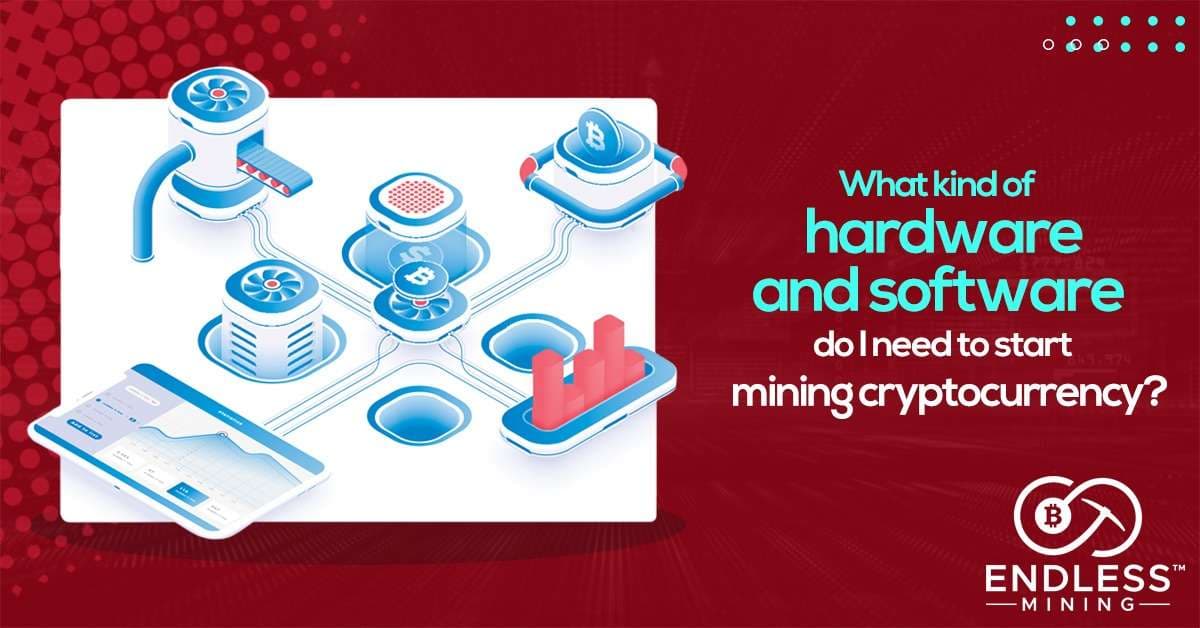
Hardware and Software Needed to Start Mining Cryptocurrency (2026 Guide) | Last Updated May 2026
Quick Summary (TL;DR)
So you want to start mining crypto in 2026? Here is what you need to know right away.
- Miners (ASICs or GPUs) are the core hardware that do the computational work on the blockchain.
- ASIC miners like the Bitmain Antminer S21 Pro (200+ TH/s) are best for Bitcoin; GPU rigs using cards like the NVIDIA RTX 4080 or AMD Radeon RX 7900 XTX work better for altcoins.
- A crypto mining motherboard supports multiple GPUs or ASICs and runs 24/7 without overheating.
- Your power supply unit (PSU) should exceed your rig's wattage needs by at least 20�30% to stay efficient.
- A stable, low-latency internet connection links your rig to the blockchain�without it, your hardware is useless.
- Mining software like NiceHash, HiveOS, or CGMiner connects your hardware to a mining pool or directly to the blockchain.
- Joining a mining pool (such as Foundry USA, F2Pool, or AntPool) dramatically increases your chances of earning consistent rewards.
- A cryptocurrency wallet stores your earned coins safely�hardware wallets like the Ledger Nano X offer the best protection.
- Mining profitability tools like WhatToMine help you compare coins and calculate earnings before you spend a cent.
- Electricity costs are your biggest ongoing expense�always calculate cost per kWh before investing in hardware.
- Cooling and ventilation keep your rig running efficiently and protect your investment from heat damage.
- RAM, CPU, and storage are supporting components�they don't need to be high-end, but they must be reliable.
What Is Cryptocurrency Mining and Why Does It Matter?
Before we dive into the hardware and software needed to start mining cryptocurrency, let us quickly cover the basics. Cryptocurrency mining is the process of validating transactions on a blockchain network. Miners use powerful computers to solve complex mathematical puzzles. When they solve one, they add a new block of transactions to the chain and earn a crypto reward.
This process is called Proof of Work (PoW). It is the backbone of networks like Bitcoin, Litecoin, and Monero. Without miners, these networks could not function securely.
In 2026, mining is more competitive than it was in Bitcoin's early days. Still, with the right crypto mining rig setup and smart coin selection, it remains a viable income stream�especially for those who manage electricity costs well.
Hardware and Software Needed to Start Mining Cryptocurrency: The Hardware Side
Let us start with the physical components. Every piece of mining hardware plays a specific role. If even one element is weak, it limits the performance of your entire setup.
Miners: ASICs vs GPUs
The miner is the engine of your rig. There are two main types: ASICs (Application-Specific Integrated Circuits) and GPUs (Graphics Processing Units). Choosing between them depends on which cryptocurrency you want to mine.
ASIC miners are purpose-built for a single algorithm. Because of this, they deliver exceptional hash rates and energy efficiency. In 2026, the top ASIC miners for Bitcoin include:
- Bitmain Antminer S21 Pro � 234 TH/s at 3,510W
- MicroBT Whatsminer M60S � 186 TH/s at 3,441W
- Jasminer X16-Q � optimized for Ethereum Classic at 1,950W
ASICs are fast and efficient, but they are expensive and locked to one coin. If that coin's profitability drops, you cannot switch easily.
GPU miners, on the other hand, are flexible. You can mine different coins by simply switching your mining software. Popular GPU choices in 2026 include:
- NVIDIA GeForce RTX 4080 � excellent hash rate on many algorithms
- AMD Radeon RX 7900 XTX � strong performance, lower power draw
If you are new to crypto mining, a GPU rig gives you more flexibility to experiment with different profitable coins to mine.
The Mining Motherboard
Once you pick your miners, you need a motherboard that can hold them all together. A standard PC motherboard will not cut it. Mining motherboards have more PCIe slots�sometimes 12 or more�so you can run multiple GPUs at once. They also have superior cooling systems that allow non-stop 24/7 operation.
The motherboard combines the computing power of all your miners into one total output. For example, if you connect 8 GPUs each producing 60 MH/s, your total rig output is 480 MH/s. That combined hash rate is what matters when competing for block rewards.
Power Supply Unit (PSU)
Power supply is one of the most critical decisions in your bitcoin mining equipment setup. Every miner has a wattage requirement. Your PSU must meet that requirement�and then some.
As a rule, add 20�30% extra capacity above your rig's total wattage needs. So if your rig draws 1,500W at peak, choose a PSU rated at 1,800�2,000W. This buffer improves efficiency and protects your components from voltage stress.
Furthermore, look for PSUs with an 80+ Gold or Platinum efficiency rating. These ratings mean your PSU wastes less electricity as heat�which directly improves your mining profitability. Features like modular cabling and remote monitoring are also handy for managing a larger setup.
Internet Connection
A fast, reliable internet connection is non-negotiable. Your rig needs to stay in constant contact with the blockchain or your mining pool. Without this connection, your hardware earns nothing.
Focus on two things: low latency and high bandwidth. Low latency reduces the delay between your rig submitting a solution and the pool accepting it. High bandwidth ensures your rig handles large data transfers without dropping the connection. A wired Ethernet connection beats Wi-Fi every time for mining stability.
Supporting Components: RAM, CPU, and Storage
These components do not do the heavy lifting, but they keep everything running smoothly. Here is what you need:
- RAM: 4�8GB is enough for most mining rigs. Mining does not require a lot of memory.
- CPU: Any modern mid-range processor works. The GPU or ASIC does the actual mining work.
- Storage: A 120GB SSD is sufficient. It just needs to hold the operating system and mining software.
Do not overspend here. Instead, put your budget toward better miners and a quality PSU.
Cooling and Ventilation
Heat is your rig's biggest enemy. Moreover, mining hardware runs at full load 24 hours a day, seven days a week. Without proper cooling, components degrade faster and performance drops.
Use case fans to keep airflow moving through your rig frame. If you run multiple rigs, consider a dedicated mining room with industrial ventilation or air conditioning. In 2026, immersion cooling (submerging rigs in dielectric fluid) is growing in popularity for large-scale operations�it is expensive upfront, but it dramatically extends hardware lifespan.
Hardware and Software Needed to Start Mining Cryptocurrency: The Software Side
With your hardware ready, you now need the right software to tie everything together. The software side of crypto mining is just as important as the physical rig.
Operating System
Most mining rigs run on one of two operating systems: Windows 10/11 or a Linux-based mining OS. For beginners, HiveOS is the top recommendation in 2026. It is a Linux-based OS built specifically for mining rigs. It offers remote monitoring, automatic restarts if a GPU crashes, and a clean dashboard for tracking your rig's performance.
Windows works fine too, especially if you are already familiar with it. Just make sure to keep it updated for security and performance patches.
Mining Software: The Best Options in 2026
Your mining software connects your rig to the blockchain or your chosen mining pool. It also controls how your hardware performs�overclocking, temperature limits, and algorithm switching all happen here.
Here are the top mining software options in 2026:
- NiceHash � Best for beginners. It automatically switches between the most profitable algorithms and pays you in Bitcoin. NiceHash charges around 2�3% in fees, but its simplicity is worth it when you are just starting out.
- CGMiner � A classic, open-source option that works with ASICs and FPGAs. It gives advanced users deep customization.
- BFGMiner � Similar to CGMiner but with dynamic clocking and hardware temperature monitoring built in. It runs on Windows, Mac, and Linux.
- NBMiner � Popular among GPU miners for its efficiency with modern graphics cards and support for multiple algorithms.
- T-Rex Miner � Another strong GPU mining choice, especially for NVIDIA cards.
- Awesome Miner � Ideal for managing multiple rigs from one dashboard. It supports over 50 mining engines and is great for scaling up.
Note: Claymore's Dual Miner is discontinued as of 2026. Remove it from your list if you come across older guides recommending it.
Mining Pools: Do Not Mine Alone
This is one of the most overlooked pieces of advice for new miners. Solo mining�where you compete against the entire network to solve a block�is nearly impossible unless you own warehouse-scale hardware. Instead, join a mining pool.
A mining pool groups your hash rate with other miners. Together, you solve blocks more frequently. Rewards are then split among pool members based on contributed hash power. It means smaller, steadier payouts instead of one big jackpot that may never arrive.
In 2026, the top mining pools include:
- Foundry USA � Controls roughly 30% of Bitcoin's global hash rate. Reliable and beginner-friendly.
- F2Pool � One of the oldest pools, supporting Bitcoin, Litecoin, and many altcoins.
- AntPool � Backed by Bitmain, strong for ASIC miners.
- 2Miners � User-friendly interface, great for GPU miners and altcoin mining.
When choosing a pool, compare the fee (typically 1�3%), payout method (PPS vs PPLNS), and minimum withdrawal threshold.
Cryptocurrency Wallet: Keep Your Earnings Safe
You need a wallet to receive and store your mined coins. Choosing the right one is important�if you lose access to your wallet, you lose your earnings.
In 2026, the safest option for miners is a hardware wallet. These store your private keys offline, away from hackers. The top choices are:
- Ledger Nano X � Supports thousands of coins and connects via Bluetooth to your phone.
- Trezor Model T � Open-source firmware, touchscreen interface, and strong security record.
If you prefer software wallets for convenience, MetaMask and Trust Wallet are solid options�just make sure your device is secure and backed up.
Profitability Calculators and Monitoring Tools
Before you buy a single piece of bitcoin mining equipment, use a profitability calculator. These tools factor in your hash rate, electricity cost, and the current coin price to estimate your daily and monthly earnings.
Top tools in 2026:
- WhatToMine � The go-to calculator for GPU and ASIC miners. Compare dozens of coins at once.
- CoinWarz � Useful for comparing different hardware options before buying.
- Minerstat � A cloud-based monitoring platform that supports over 100 mining clients and lets you manage rigs remotely.
- ASIC Miner Value � Tracks real-time profitability rankings for ASIC hardware.
These tools help you decide when to switch coins, upgrade hardware, or temporarily pause mining during unprofitable periods.
How Much Does It Cost to Start Mining Cryptocurrency?
Starting costs vary widely. Here is a rough breakdown based on 2026 market data:
- Entry-level GPU rig (4�6 GPUs): $2,000�$5,000
- Mid-range ASIC miner (e.g., Antminer S19 XP): $3,000�$6,000
- Top-tier ASIC (e.g., Antminer S21 Pro): $8,000�$12,000+
- Supporting hardware (PSU, motherboard, frame, RAM): $300�$600
- Monthly electricity cost: Varies by region�$100�$500+ depending on rates and rig size
Electricity is your biggest ongoing expense. Before purchasing anything, check your local electricity rate per kilowatt-hour (kWh). Ideally, you want to pay under $0.10/kWh for mining to stay consistently profitable.
Also, keep in mind that mined cryptocurrency is taxable income in most countries. In the US, for example, the fair market value of mined coins at the time of receipt counts as ordinary income. Consult a tax professional familiar with crypto before you scale up your operation.
FAQ: Hardware and Software Needed to Start Mining Cryptocurrency
Can I mine cryptocurrency with a laptop?
Technically yes, but it is not recommended. Laptops generate too much heat during sustained high-load tasks, and their cooling systems are not built for 24/7 mining. Additionally, the hash rates on laptop GPUs are low compared to desktop cards. You would likely damage the hardware before earning anything meaningful.
Is crypto mining still profitable in 2026?
Yes, but profitability depends on your electricity rate, hardware efficiency, and the coins you mine. Bitcoin mining, for instance, requires industrial-scale ASICs to turn a profit. Altcoin mining with a GPU rig can still be profitable for small-scale miners, especially when electricity costs are low. Always run your numbers through a tool like WhatToMine before investing.
What is the easiest coin to mine for beginners?
Monero (XMR) remains one of the most beginner-friendly coins to mine. It uses the RandomX algorithm, which is designed to run efficiently on CPUs and GPUs. NiceHash also makes it easy to mine without picking a specific coin�it automatically selects the most profitable algorithm for your hardware at any given time.
How long does it take to recoup my mining investment?
Return on investment (ROI) timelines vary. With a mid-range GPU rig and average electricity costs, most miners break even in 12�24 months under stable market conditions. However, a sudden drop in coin prices or increase in network difficulty can extend that timeline significantly. Always treat mining as a medium-to-long-term investment.
Do I need to join a mining pool?
For almost all beginners, yes. Solo mining Bitcoin or any major coin is economically impractical without massive hash power. Mining pools give you access to consistent, smaller payouts. The only exception is mining coins with very low network difficulty�but even then, a pool usually makes more sense financially.
What happens if my mining rig overheats?
Overheating causes hardware to throttle (slow down to reduce heat), which lowers your hash rate. Sustained high temperatures can permanently damage your GPU or ASIC. To avoid this, monitor your rig's temperatures using mining software dashboards and keep ambient room temperatures low. Most miners aim to keep GPU temps below 75�C during operation.
Final Thoughts
Getting the hardware and software needed to start mining cryptocurrency right from the beginning saves you money and frustration. Start by picking the coin you want to mine, then build your hardware around its requirements. Choose energy-efficient miners, join a reputable mining pool, and protect your earnings with a hardware wallet.
The mining landscape in 2026 is competitive, but it rewards well-prepared miners. Use profitability calculators before you buy, keep your software updated, and monitor your rig's performance daily. With the right setup and realistic expectations, cryptocurrency mining can be a rewarding venture.
Ready to Mine Smarter? Meet EndlessMining.com
If you�re serious about crypto mining, the challenges above � trust, accountability, security, and efficiency � are problems you face every day. That�s exactly why EndlessMining.com was built.
EndlessMining.com is the mining hardware marketplace that actually has your back:
- ?�Buy & Sell Mining Hardware�� Browse a curated�marketplace�connecting miners, dealers, and buyers worldwide.
- ?�Hosting Services�� Skip the overhead. Let EndlessMining host your miners in professional facilities so you can focus on returns.
- ?�Mining Consultancy�� Get expert guidance on equipment selection, setup, and optimization from people who live and breathe mining.
- ?�Mining Calculator�� Run the numbers before you commit. Estimate profitability based on your hardware, power costs, and current network conditions.
- ?�Escrow-Protected Transactions�� EndlessMining.com is currently the�only crypto miner marketplace officially partnered with Escrow.com, meaning every transaction is protected. No scams. No chargebacks. No uncertainty. In a space defined by trustlessness, Endlessmining.com offers something rare:�accountability you can count on.