How to Overclock Your Mining Rig for Maximum Hashrate in 2026
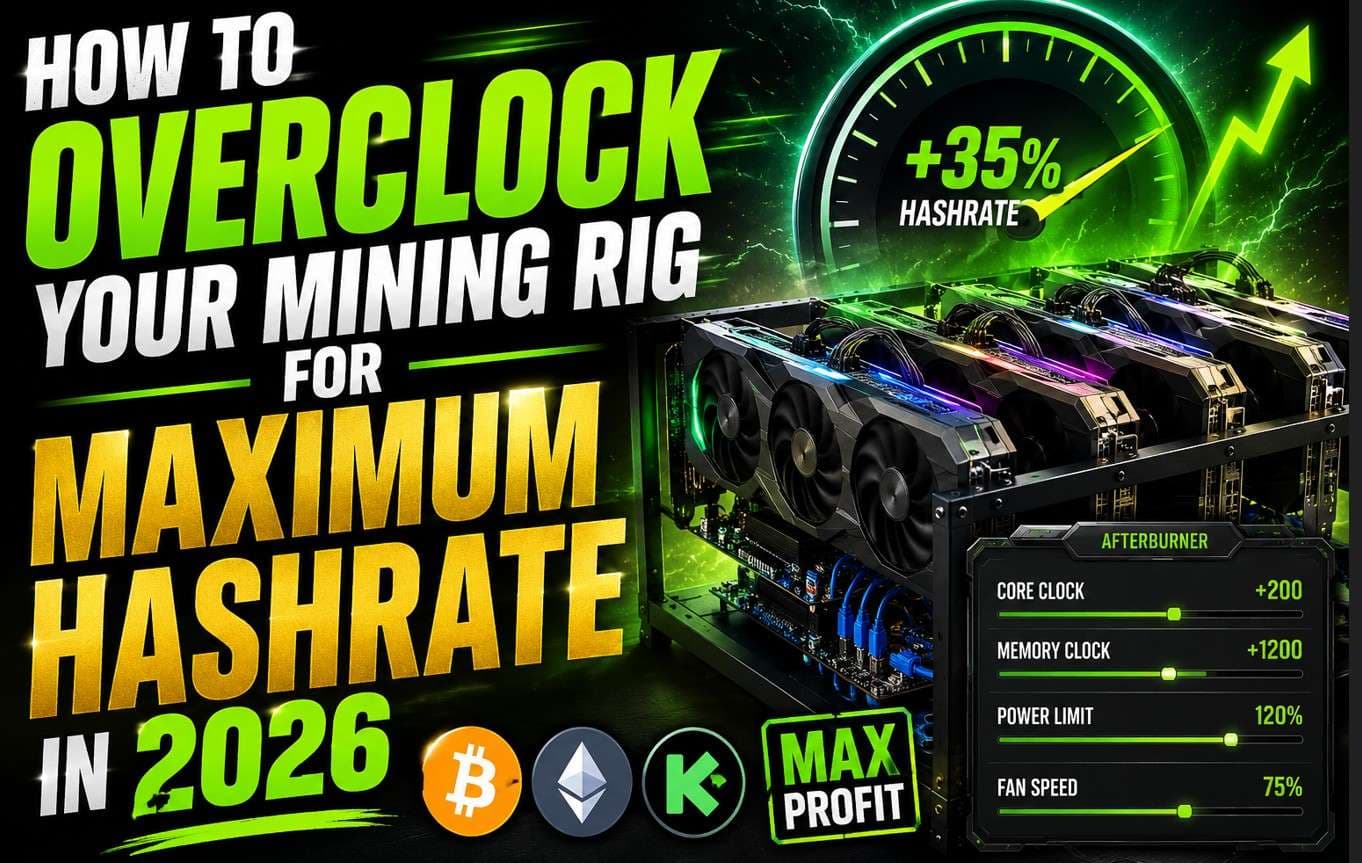
TLDR : How to Overclock Your Mining Rig Quick Overview
- Overclocking your mining rig can boost hashrate by 15�25% without buying new hardware.
- The real metric that matters is joules per terahash (J/TH), not raw hashrate alone.
- ASIC overclocking requires aftermarket firmware like Braiins OS+ or vnish for full frequency control.
- GPU overclocking focuses on memory clock for Ethash coins and core clock for KASPA's kHeavyHash algorithm.
- Always overclock gradually, run stability tests, and watch thermals before locking any profile.
- Dynamic overclocking � adjusting profiles based on electricity rates � is the smart play in 2026.
Bitcoin mining got tougher in 2026. Network difficulty hit record highs, and the post-halving block reward dropped to 3.125 BTC. So every extra terahash matters more than it did before. If you haven't figured out how to overclock your mining rig, you're almost certainly leaving money on the table.
Done right, overclocking squeezes more hashrate out of hardware you already own. Done wrong, it fries chips, trips breakers, and wipes out your profits. This guide covers both ASIC and GPU overclocking. It also walks you through real 2026 firmware options, algorithm-specific GPU settings, and a solid stability testing process.
What Overclocking Actually Does to Your Hashrate
Overclocking means pushing clock frequency above the manufacturer's default setting. For ASICs, you're increasing chip frequency on the hash boards. For GPUs, you're adjusting memory clock, core clock, and power limit.
Bitmain ships every miner with safe, low default settings. Why? To protect warranty claims across millions of units. Those default settings leave a lot of performance on the table.
When you overclock, the chips cycle faster. That means more SHA-256 computations per second and a higher hashrate. Here's a real-world number: a stock Antminer S19j Pro runs at 104 TH/s. With a well-tuned overclock using aftermarket firmware, that same unit can hit 120�130 TH/s. That's a 15�25% gain from hardware you already own.
But raw hashrate isn't the only thing to watch. The smarter metric is joules per terahash (J/TH) � how much power you burn per unit of output. If your electricity costs spike faster than your earnings, you're moving backward. So the real goal is finding the sweet spot where performance goes up without output per watt tanking.
How to Overclock Your Mining Rig: ASIC Step-by-Step
Pick the Right Firmware First
Stock firmware on most ASICs locks you out of real frequency control. To truly overclock your mining rig on an ASIC, you need aftermarket firmware. Here are the best options right now in 2026:
Firmware
Compatible Miners
Key Features
Braiins OS+
S19 series, S21, T21
Auto-tuning, power curtailment scheduling, full frequency control
vnish
S19, S19j Pro, S19 XP, T19
Per-board tuning, voltage adjustment, real-time monitoring
LuxOS
S19 XP, S21 series
Premium control, great for immersion-cooled setups
Stock Advanced Mode
All Bitmain models
Limited; good for conservative boosts only
Braiins OS+ is the top pick for home miners. It includes auto-tuning that scans each hash board and finds optimal frequency settings on its own. That's a big deal if you're running three or four units and don't want to manually dial in every board.
Flash the Firmware and Check Your Baseline
After flashing, log into your miner's dashboard. In Braiins OS+, go to the Tuner tab. In vnish, look for Overclock Settings under configuration.
Before touching any settings, write down your baseline numbers. Note your stock hashrate, power draw in watts, and chip temps. You'll need those numbers for comparison later.
Increase Frequency in Small Steps
This is where most people blow it � they push too hard too fast. Start by increasing chip frequency by just 50�100 MHz above stock. Then run the miner for two to four hours. During that time, keep an eye on three things:
- Chip temps � stay under 80�C for air-cooled units
- Error rates � watch for hardware errors on the dashboard
- Power draw � make sure your PSU and circuit can handle the new load
If everything looks stable, bump frequency another 50 MHz. Repeat the process each time. If error rates climb or temps push past 80�C, back off to the last stable setting. That's your actual overclock ceiling for that unit.
Lock In Your Profile and Set Up Alerts
Once you land on a stable ceiling, lock in the frequency profile. Next, set up automated temp and error alerts. Tools like Foreman.mn work well for this, and most aftermarket firmware dashboards have built-in monitoring too.
How to Overclock Your Mining Rig: GPU Edition
GPU overclocking works differently from ASIC tuning. The three main variables are memory clock, core clock, and power limit. Critically, the right settings depend on which algorithm you're mining. What works for ETHW won't work for KASPA.
Algorithm-Specific GPU Overclock Settings for 2026
Coin / Algorithm
Memory Clock
Core Clock
Power Limit
ETHW / ETC (Ethash)
+800 to +1000 MHz
-100 to -200 MHz
60�70%
KASPA (kHeavyHash)
Default (0)
+150 to +200 MHz
70�80%
Ravencoin (KawPoW)
+500 to +700 MHz
-50 to -100 MHz
75�85%
Alephium (Blake3)
+600 to +800 MHz
Default
65�75%
These are solid starting points, not guaranteed profiles. Every GPU has its own silicon lottery. Two identical RTX 3070s from the same batch can have different overclock ceilings. Always test your specific cards.
GPU Overclocking Step-by-Step with MSI Afterburner
MSI Afterburner is still the standard tool for Windows-based GPU rigs in 2026. Here's how to use it.
Step one: Lower the core clock by 100 MHz. For most mining algorithms, the core does less heavy lifting than the memory. Dropping it saves power with almost no hashrate loss.
Step two: Increase memory clock in +50 MHz steps. For Ethash coins, memory speed drives hashrate directly. Run the miner for 10�15 minutes after each bump. Watch for DAG errors � those signal that memory is overclocked too far.
Step three: Reduce the power limit to 60�70% of TDP. Check that hashrate holds steady at the lower power setting. Lower power with stable hashrate equals better output per watt. That's the target.
Step four: Manually bump fan speed if temps climb above 70�C. Running GPUs hot kills them faster. High temps also tank long-term profits by shortening the card's lifespan.
On HiveOS or MinerOS, you can save overclock templates per algorithm and apply them on its own when you switch coins. That's the smarter workflow for multi-GPU rigs with four or more cards.
Thermal and Power Checklist Before You Overclock
Overclocking pulls more power and generates more heat. Running your thermal and power setup through a quick checklist before touching settings can save you a lot of headaches.
On the cooling side:
- Air-cooled ASIC units need ambient room temps below 35�C.
- GPU rigs need at least 2�3 inches of airflow between cards.
- Consider adding high-static-pressure fans to improve airflow through tight chassis.
- For serious ASIC operations, immersion cooling removes thermal ceilings almost entirely.
On the power side:
- Calculate your total load as stock power draw multiplied by 1.2 as a safety buffer.
- Never run circuits above 80% of breaker capacity.
- Use Platinum or Titanium-rated PSUs � Gold-rated loses output per watt under heavy sustained load.
- Check PDU ratings if you're running multiple units on a single power power point.
Overclocking on an underpowered circuit is one of the fastest ways to damage hardware. The miner brownouts under load, causing unpredictable restarts and gradual chip degradation over time.
How to Stability Test Your Overclock
A lot of miners skip this part. Don't. Running an unstable overclock long-term burns hardware and inflates power costs without delivering consistent hashrate gains.
Here's a solid stability testing protocol that actually works.
First, run the miner at your new settings for at least 24 hours straight. Check hardware error rates every few hours. A small number of errors � under 0.1% of shares � is totally normal. Anything higher means the overclock is too hard.
Then, log hashrate at consistent intervals, about once per hour for the first 12 hours. If hashrate varies by more than 5%, something is wrong. Thermal throttling or chip errors will show up as inconsistent output rather than a clean flat line.
Finally, compare J/TH before and after the overclock. If you gained 10% hashrate but power draw went up 20%, the overclock hurt you on net. Back off frequency until output per watt improves.
Dynamic Overclocking: The 2026 Smart Miner's Edge
Static profiles made sense a few years ago. In 2026, smart miners adjust performance dynamically based on electricity rates and Bitcoin price.
Braiins OS+ supports power curtailment scheduling. Basically, you can set your miner to run an hard overclock profile during off-peak electricity hours � usually midnight to 6 AM � and pull back to a conservative profile during peak rate hours. Over a month, that kind of scheduling cuts your electricity bill while keeping daily hashrate competitive.
Similarly, when Bitcoin's price dips and margins shrink, underclocking to save power often beats pushing hashrate at a loss. Vnish and LuxOS both support multiple saved profiles. You can switch them manually or automate them via API.
This dynamic approach also helps hardware longevity. Running your ASIC at maximum overclock 24/7 stresses chips more than cycling between a performance profile and an output per watt profile.
Overclock Risks and How to Handle Them
Risk
What It Looks Like
Fix
Overheating
Chip temps above 80�C, auto-shutdown
Improve cooling before pushing frequency
Power spikes
Circuit breaker trips, brownouts
Stay under 80% of breaker capacity
Hardware damage
Dead hash boards, chip failures
Overclock gradually; never skip stability tests
Reduced lifespan
Degrading hashrate over weeks
Use output per watt profiles; cycle between modes
Voided warranty
Manufacturer won't cover damage
Flash firmware only on out-of-warranty units
Most of these risks are manageable with patience. The miners who damage hardware are almost always the ones who skip testing and jump straight to maximum frequency.
How to Overclock Your Mining Rig: FAQ
How to Overclock Your Mining Rig Without Voiding the Warranty?
The honest answer is that you mostly can't � at least not fully. Most ASIC warranties void the moment you flash aftermarket firmware. However, using stock firmware's advanced mode for a conservative 5�10% frequency bump usually stays within acceptable limits. For out-of-warranty units, aftermarket firmware is definitely the way to go.
What Is the Best Firmware for Overclocking an Antminer in 2026?
Braiins OS+ is the top choice for S19 and S21 series miners. It handles auto-tuning, power scheduling, and per-board monitoring. Vnish is a strong alternative with more detailed voltage control. LuxOS is the pick for advanced setups, especially immersion-cooled operations.
How Much Can Overclocking Increase My Hashrate?
On ASICs, a well-tuned overclock typically adds 15�25% to hashrate. An S19j Pro at stock 104 TH/s can reach 120�130 TH/s with good firmware and cooling. On GPUs, gains vary by card and algorithm � expect 5�20% improvement depending on your starting point.
How to Overclock Your Mining Rig for KASPA Mining?
KASPA runs on kHeavyHash, which is core-heavy rather than memory-heavy. So, unlike Ethash mining where you push memory clock, KASPA mining benefits from increasing core clock by 150�200 MHz above stock while leaving memory at default. Keep power limit at 70�80% and watch core temps closely.
Does Overclocking Hurt Long-Term Hardware Life?
Yes, running hardware at max overclock 24/7 does increase chip wear over time. The smarter approach is to use dynamic profiles � push performance during peak profits windows and run output per watt profiles during off-peak hours. Also, keeping chip temps below 75�C all the time extends lifespan a lot.
Is Undervolting Better Than Overclocking for Mining Profits?
Sometimes it is. Undervolting reduces power consumption without dropping hashrate much. In spots where power costs are above $0.08 per kWh, undervolting can boost your margins more than overclocking does. It's a tool more miners should use.
How to Overclock Your Mining Rig: Real Miner Tips for 2026
Here are some practical tips that actual miners use day-to-day. These aren't theoretical. They come from running rigs at scale.
Tip 1: Test one unit before rolling out changes to your whole fleet. Always start with a single miner. Get it stable for 48 hours first. Then apply the same profile to your other units. This saves you from a farm-wide crash.
Tip 2: Use separate overclock profiles for summer and winter. Heat changes everything. A profile that's rock-solid in January can destabilize in July. Ambient temp affects your thermal ceiling. So, tweak your profiles with the seasons.
Tip 3: Watch for "hot chips" on your hash boards. Some chips on a board run hotter than others. Most aftermarket dashboards show per-chip or per-board temps. A single hot chip can drag the whole board into throttling. Identify and address those first before pushing frequency higher.
Tip 4: Don't ignore your power supply. A cheap or aging PSU can't deliver clean power at high load. That issues shows up as hardware errors even when your overclock settings seem fine. If you're seeing errors but temps are fine, check the PSU first.
Tip 5: Document everything. Keep a simple log of your settings, hashrate, power draw, and temps for each unit. When something goes wrong � and it will � that log tells you exactly what changed. Most miners skip this step and regret it later.
How Undervolting and Overclocking Work Together
Overclocking gets most of the attention, but undervolting is just as powerful. The two strategies actually work well together.
Here's the basic idea. When you increase chip frequency, power draw goes up. But sometimes you can increase frequency a bit and reduce voltage at the same time. The result is a net gain in hashrate with little or no increase in power draw.
This works because manufacturers add voltage headroom to their default settings. They do this to ensure stability across all units. But your specific unit might not need that extra voltage headroom. So you can take some of it away.
Braiins OS+ autotuning handles this for you. It tests different combos of frequency and voltage per board and picks the best one. Vnish lets you dial this in manually if you prefer more control.
The key metric to watch is still J/TH. If you see that number drop after adjusting both frequency and voltage, you're winning. That means you're producing more hash for less power.
Mining Pool Settings and Overclock Timing
Most miners don't think about pool settings when they overclock. But it's worth noting that some pools handle rejected shares better than others.
When you first apply an overclock, you might see a short spike in rejected shares as the miner stabilizes. This is normal. But if rejected share rates stay high after 30 minutes, that's a sign of issues. Pull back the frequency by 50 MHz and retest.
Also, some pools let you tag your workers with notes. Use this to track which units are on an overclock profile and which are running stock. It makes fleet management way easier, especially if you're running 10 or more units.
Common Mistakes When You Overclock Your Mining Rig
Plenty of miners make the same mistakes over and over. Knowing what they are helps you avoid them.
Jumping straight to max frequency is the most common mistake. People see benchmarks of 130 TH/s on an S19j Pro and try to hit that on day one. That's how you burn a hash board. Always step up gradually.
Ignoring ambient temp is another big one. A miner in a garage in Phoenix in August has a much lower overclock ceiling than one in a temp-controlled data center. Your environment matters as much as your settings.
Running the same profile year-round without adjusting is also a mistake. As mentioned earlier, seasonal temp changes affect thermal limits. Review your profiles quarterly.
Skipping firmware updates is risky too. Firmware teams push updates all the time. Braiins OS+ and vnish both release new builds that fix bugs and boost tuning accuracy. Staying current pays off.
Finally, overclocking without checking circuit capacity is how you start electrical fires. Know your breaker limits. Know your PDU limits. Calculate your load with a buffer before you start.
Quick Reference: Overclock Your Mining Rig in 5 Steps
Not sure where to start? Here's the short version.
Step 1: Flash aftermarket firmware. Don't try to overclock on stock firmware. You won't get real control. Get Braiins OS+ or vnish first.
Step 2: Write down your baseline. Hashrate, power draw, temps � note them all before you change anything.
Step 3: Bump frequency by 50�100 MHz. Just a small nudge. Run it for a few hours and watch what happens.
Step 4: Check temps, errors, and power. If all three look good, bump again. If any of them spike, back off.
Step 5: Lock in your stable profile. Set up alerts. Log your numbers. Done.
That's really it. Overclocking isn't magic. It's just small changes, patience, and good notes.
Why J/TH Is the Number That Actually Matters
Let's talk about this one more time, because it's that important.
Most miners obsess over raw hashrate. More TH/s feels good. But it doesn't tell the full story.
J/TH tells you how hard your hardware is working for each unit of output. A miner running at 130 TH/s but consuming 4,000 watts is less efficient than one running at 115 TH/s on 3,000 watts.
Do the math on those two:
- 130 TH/s at 4,000W = 30.8 J/TH
- 115 TH/s at 3,000W = 26.1 J/TH
The second setup wins on output per watt. Over 30 days at $0.07/kWh, that gap adds up to real money.
So when you overclock your mining rig, track J/TH, not just TH/s. That number tells you if the overclock is actually helping your bottom line or just burning more power.
Bottom Line
You now know how to overclock your mining rig from start to finish. Pick the right firmware. Set your baseline. Go slow. Test everything. Track J/TH, not just TH/s.
Most miners don't do this well. That's your edge. A 15�25% hashrate boost from free software changes is huge. It's one of the best moves you can make right now in 2026 without spending a dime on new gear.
Start with one miner. Get it dialed in. Then scale the same profile across your fleet.
One Last Thing
If you're new to this, don't stress. Start small. Flash one miner. Bump it up by 50 MHz. Run it for a day. Check the logs. See what you get. If it looks good, go up again. If not, back off.
This is not hard. It just takes time and care. Most miners who damage gear rush the process. Don't be that guy.
Take it step by step. Your rigs will run better, last longer, and earn more. That's the whole point.
Ready to Mine Smarter? Meet EndlessMining.com
If you�re serious about crypto mining, challenges like � trust, accountability, security, and efficiency � are problems you face every day. That�s exactly why EndlessMining.com was built.
EndlessMining.com is the mining hardware marketplace that actually has your back:
- ? Buy & Sell Mining Hardware � Browse a curated marketplace connecting miners, dealers, and buyers worldwide.
- ? Hosting Services � Skip the overhead. Let EndlessMining host your miners in professional facilities so you can focus on returns.
- ? Mining Consultancy � Get expert guidance on equipment selection, setup, and optimization from people who live and breathe mining.
- ? Mining Calculator � Run the numbers before you commit. Estimate profitability based on your hardware, power costs, and current network conditions.
- ? Escrow-Protected Transactions � EndlessMining.com is currently the only crypto miner marketplace officially partnered with Escrow.com, meaning every transaction is protected. No scams. No chargebacks. No uncertainty. In a space defined by trustlessness, Endlessmining.com offers something rare: accountability you can count on.